
DeskChief install guide
How to install DeskChief in 6 easy steps
Installing DeskChief takes about 20 minutes. Download DeskChief.zip from your email, unzip it onto your Desktop, double-click INSTALL, connect the Claude desktop app, and press LISTEN to talk to it. Watch the video, or follow the picture for each step below.
2 minutes. Pause at each step and do it as you watch.
Watch on YouTubeEvery step, with a picture
Before you start: have your DeskChief email open, and make sure you can sign in to the Claude desktop app with a paid Claude plan.
STEP 1 OF 6
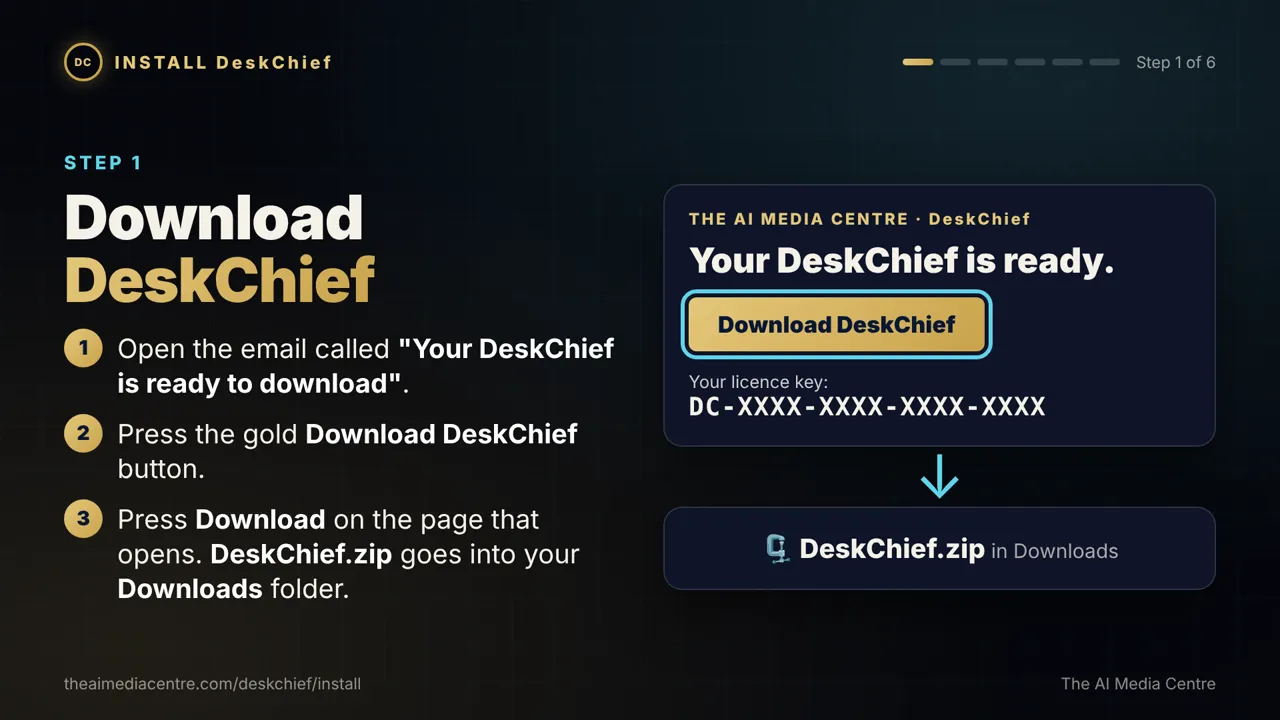
Download DeskChief
- 1Open the email called "Your DeskChief is ready to download".
- 2Press the gold Download DeskChief button.
- 3Press Download on the page that opens. DeskChief.zip goes into your Downloads folder.
STEP 2 OF 6
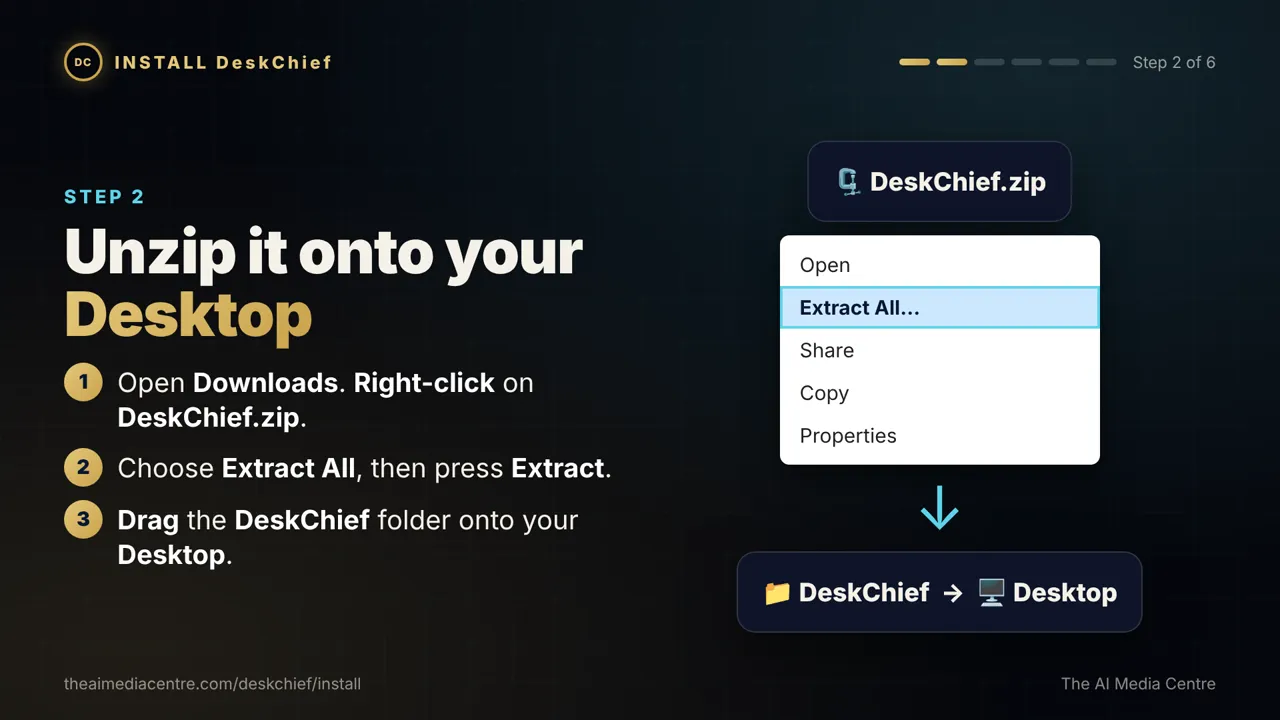
Unzip it onto your Desktop
- 1Open Downloads and right-click DeskChief.zip.
- 2Choose Extract All, then press Extract.
- 3Drag the DeskChief folder onto your Desktop.
STEP 3 OF 6
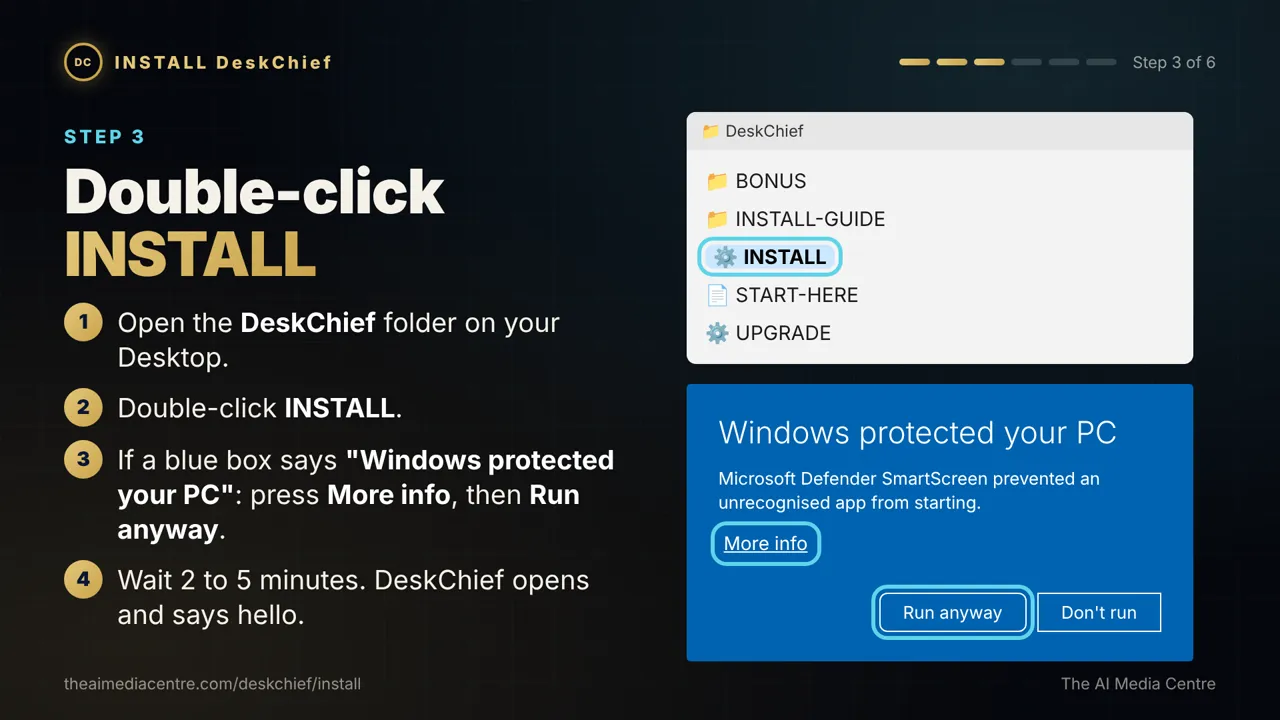
Double-click INSTALL
- 1Open the DeskChief folder on your Desktop and double-click INSTALL.
- 2If a blue box says "Windows protected your PC", press More info, then Run anyway. Windows shows this for new programs that are not from the Microsoft Store.
- 3Wait 2 to 5 minutes. The DeskChief window opens and DeskChief says hello.
STEP 4 OF 6
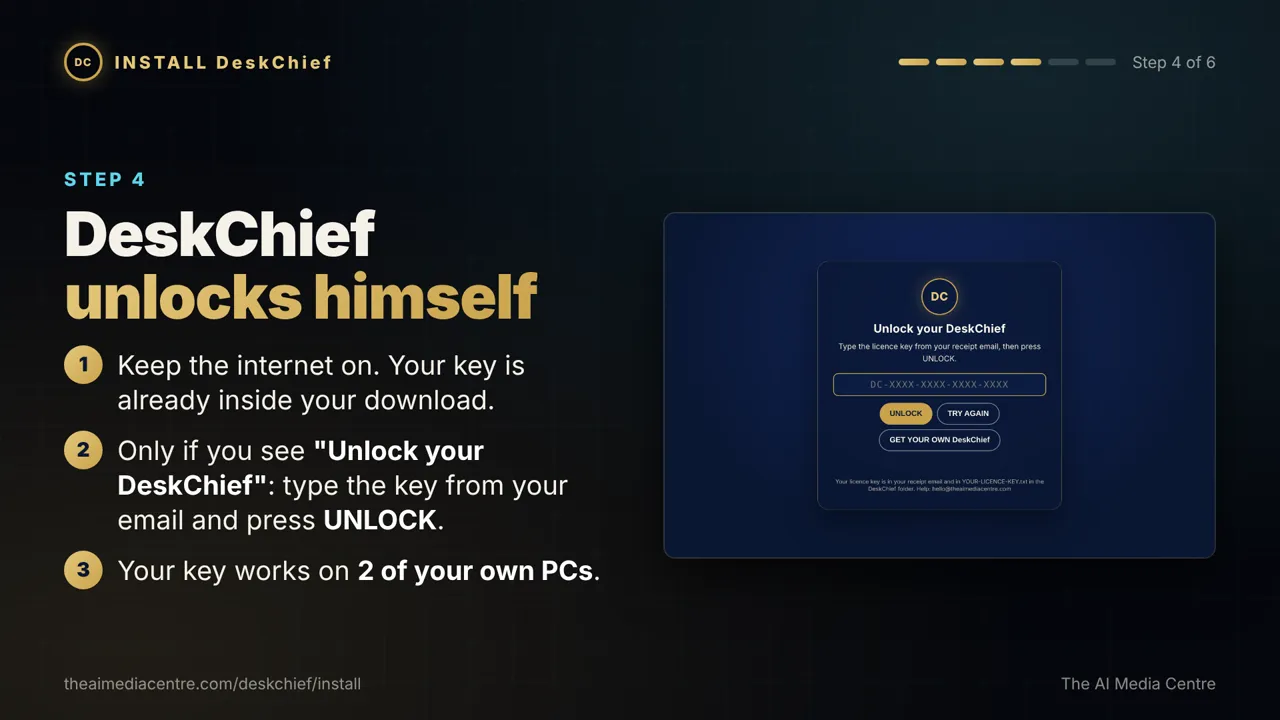
DeskChief unlocks himself
- 1Keep the internet on. Your licence key is already inside your download.
- 2Only if you see "Unlock your DeskChief": type the key from your email and press UNLOCK.
- 3Your key works on 2 of your own PCs.
STEP 5 OF 6
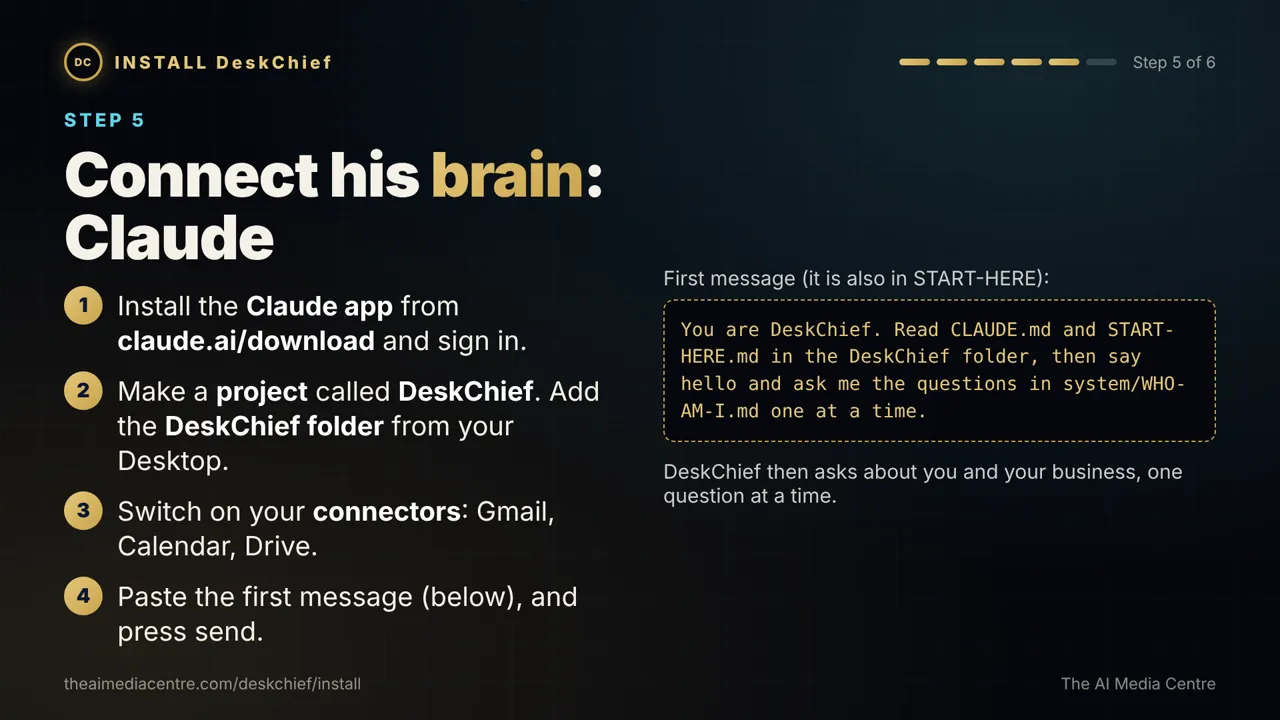
Connect the Claude app
- 1Install the Claude desktop app from claude.ai/download and sign in with your paid Claude plan.
- 2Make a project called DeskChief and add the DeskChief folder from your Desktop.
- 3Switch on the connectors you use, such as Gmail, Google Calendar and Google Drive.
- 4Paste the first message from START-HERE and send it. DeskChief asks about you, one question at a time.
STEP 6 OF 6
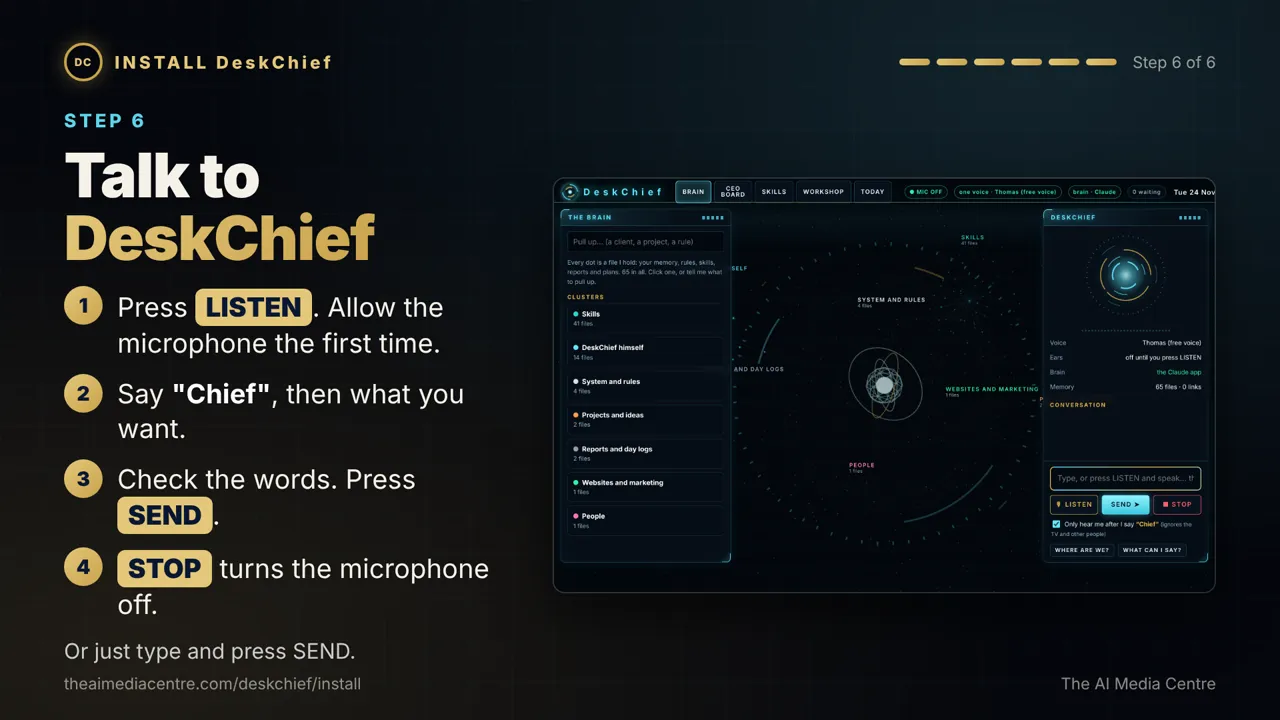
Talk to DeskChief
- 1Press LISTEN and allow the microphone the first time.
- 2Say "Chief", then what you want.
- 3Check the words in the box and press SEND. STOP turns the microphone off. Or just type.
Quick fixes
- No DeskChief window?
- Double-click TALK TO DeskChief on your Desktop, or START in the DeskChief folder.
- No voice?
- Double-click RESTART in the DeskChief folder.
- LISTEN does nothing?
- Press the Windows key and H together, speak, and your words go in the box. Then press SEND. Check the microphone is allowed in Windows Settings, Privacy, Microphone.
- "Claude window not found"?
- Open the Claude desktop app and the DeskChief chat, then press SEND again.
- "Unlock your DeskChief" will not go away?
- Check the internet is on and press TRY AGAIN. If it says the key is already on 2 PCs, email us to move it.
- INSTALL closes straight away?
- Right-click INSTALL and choose Run as administrator once. If your work PC blocks new programs, ask whoever looks after it.
Make DeskChief yours
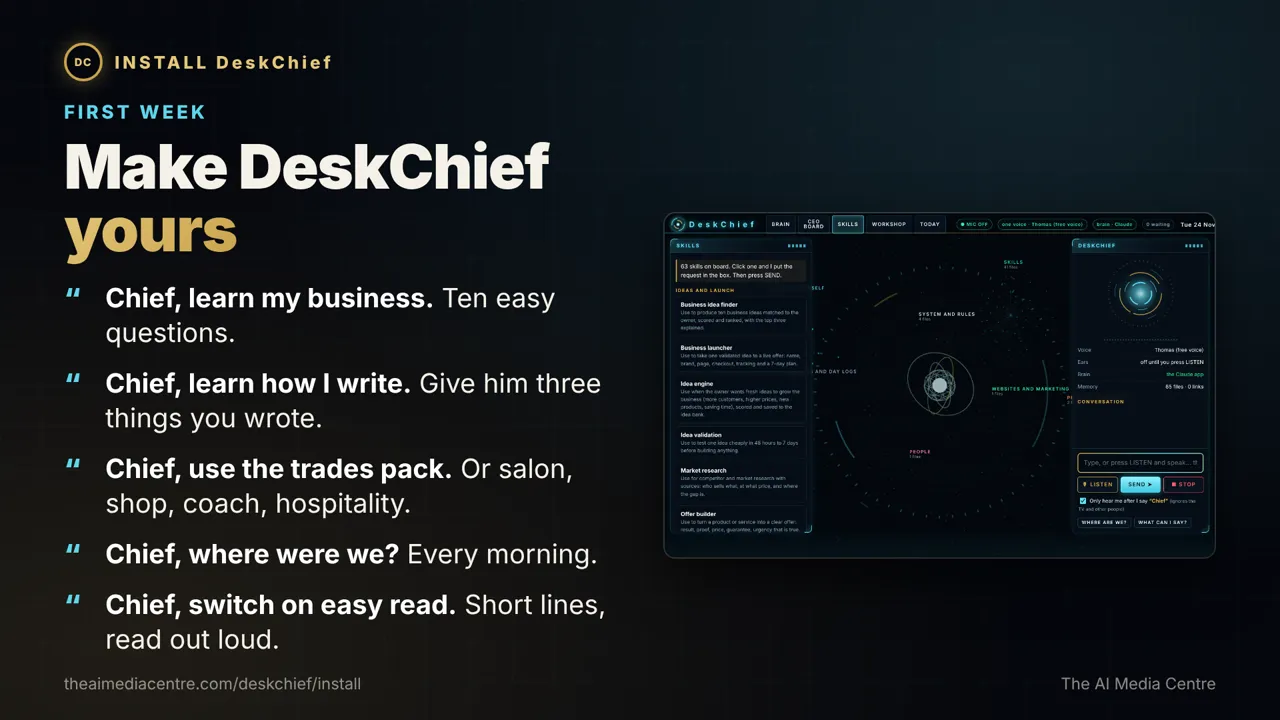
Say "Chief, learn my business" and answer ten easy questions. Then say "Chief, learn how I write" and give him three things you wrote. Every evening say "Chief, that's it for today", and every morning "Chief, where were we?".
Find reading hard? Say "Chief, switch on easy read" for short lines and every answer read out loud.
When you email, send a photo of your screen and say which step you are on.
Install questions
How long does it take to install DeskChief?+
About 20 minutes for most people, including installing the Claude desktop app. The INSTALL step itself takes 2 to 5 minutes while it sets up the voice.
Do I need to be technical to install DeskChief?+
No. You download one file, unzip it, double-click INSTALL and paste one message into the Claude app. The video and the pictures on this page show every click.
Why does Windows say "Windows protected your PC"?+
Windows shows that box for new programs that do not come from the Microsoft Store. Press More info, then Run anyway. INSTALL only sets up DeskChief inside your own DeskChief folder and adds it to start-up; it does not need an administrator password.
Where is my licence key?+
In your "Your DeskChief is ready to download" email, and in the file YOUR-LICENCE-KEY.txt inside the DeskChief folder. It is already built into your download, so most people never type it.
I lost my download email. What now?+
Go to theaimediacentre.com/deskchief/download and type your licence key to download again. If you do not have the key either, email hello@theaimediacentre.com from the email address you paid with.
Can I install DeskChief on a Mac?+
Not yet. DeskChief needs Windows 10 or 11. The Claude desktop app itself runs on Mac, but the DeskChief window and voice are Windows only for now.
Does DeskChief work without the Claude app?+
No. Claude is DeskChief's brain. You need the Claude desktop app and your own paid Claude plan, which you pay to Anthropic separately.
How do I upgrade DeskChief later?+
Download the new version, unzip it in your Downloads folder, then double-click UPGRADE in your current DeskChief folder. Your memory, brand and work are kept, and a backup is made first.
Not bought DeskChief yet? See what DeskChief does and the prices. 7-day money-back guarantee on every plan.